Redesigning Campaign Creation
Simplified Gabriel AI’s core workflow to help users create, schedule, and launch personalized voice campaigns with confidence
TIMELINE
15 weeks
ROLE
Product Designer
TEAM
1 Project Manager, 5 Frontend engineers, 4 Product Designers
OVERVIEW
During my internship at Gabriel AI, I worked as a UX Design Intern on a B2B SaaS platform that enables businesses to send personalized AI-generated voicemails at scale. I led the redesign of the Start a Campaign flow while contributing to the landing page and core product surfaces to improve clarity, usability, and trust. The goal was to make campaign creation intuitive for first-time users while clearly communicating the value of AI-powered outreach.
STARTUP COMPANY
What is Gabriel AI?
Gabriel AI is a SaaS platform that uses AI to automate and personalize outbound voicemail campaigns, helping businesses communicate at scale while preserving a natural, human voice experience.
KEY CHALLENGES
A Powerful Product That Was Hard to Understand
Gabriel AI offered advanced AI features like voice generation, smart sequencing, and campaign automation — but first-time users struggled to understand how these pieces fit together. The product surfaced functionality without clearly explaining why it mattered or when to use it, leading to hesitation and confusion. Without stronger guidance and context, users couldn’t quickly grasp the platform’s value.
Campaign Creation Didn’t Match User Mental Models
Creating a campaign is the most important task in the product, yet the flow felt disorganized and unintuitive. Steps were unclear, progress wasn’t communicated, and users weren’t sure what would happen next. This disconnect between user expectations and the actual workflow created friction at the exact moment users needed confidence to move forward.
Trust Was Undermined by Inconsistent Design
Because Gabriel AI operates in a space where users are cautious about AI, visual credibility mattered. However, inconsistent spacing, styling, and hierarchy across screens made the experience feel less polished and less reliable. Without a cohesive and professional design system, users were less likely to trust the product with something as personal as their voice.
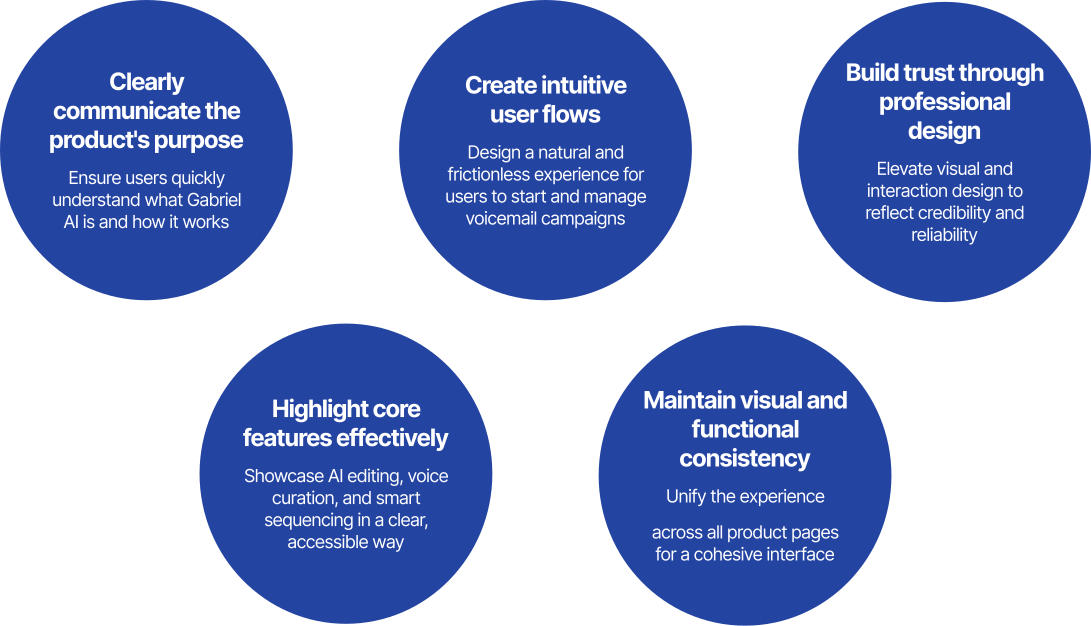
FIVE CORE GOALS
DESIGN PROCESS
How did I begin?
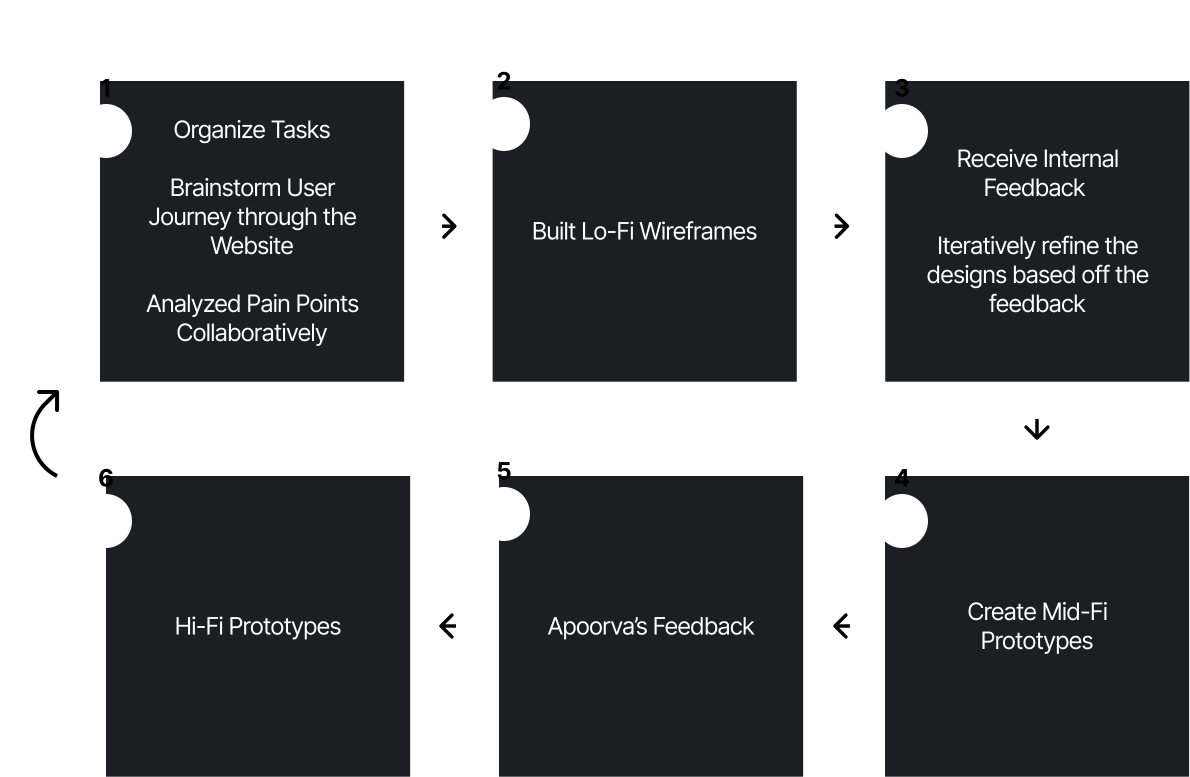
This project followed an iterative, feedback-driven design process focused on clarifying complex AI workflows while maintaining speed and feasibility within a startup environment. We began by auditing existing flows, identifying user pain points, and mapping the end-to-end user journey across both product and marketing surfaces. From there, I created low-fidelity wireframes to explore structure and flow, iterated through mid-fidelity prototypes based on internal feedback, and finalized high-fidelity designs aligned with brand and engineering constraints.
Throughout the internship, design decisions were continuously refined through team critiques and stakeholder feedback, allowing us to balance user needs with technical practicality. This approach ensured improvements were not only thoughtful, but also realistic to implement and scale.
SOLUTIONS
Core Design Changes
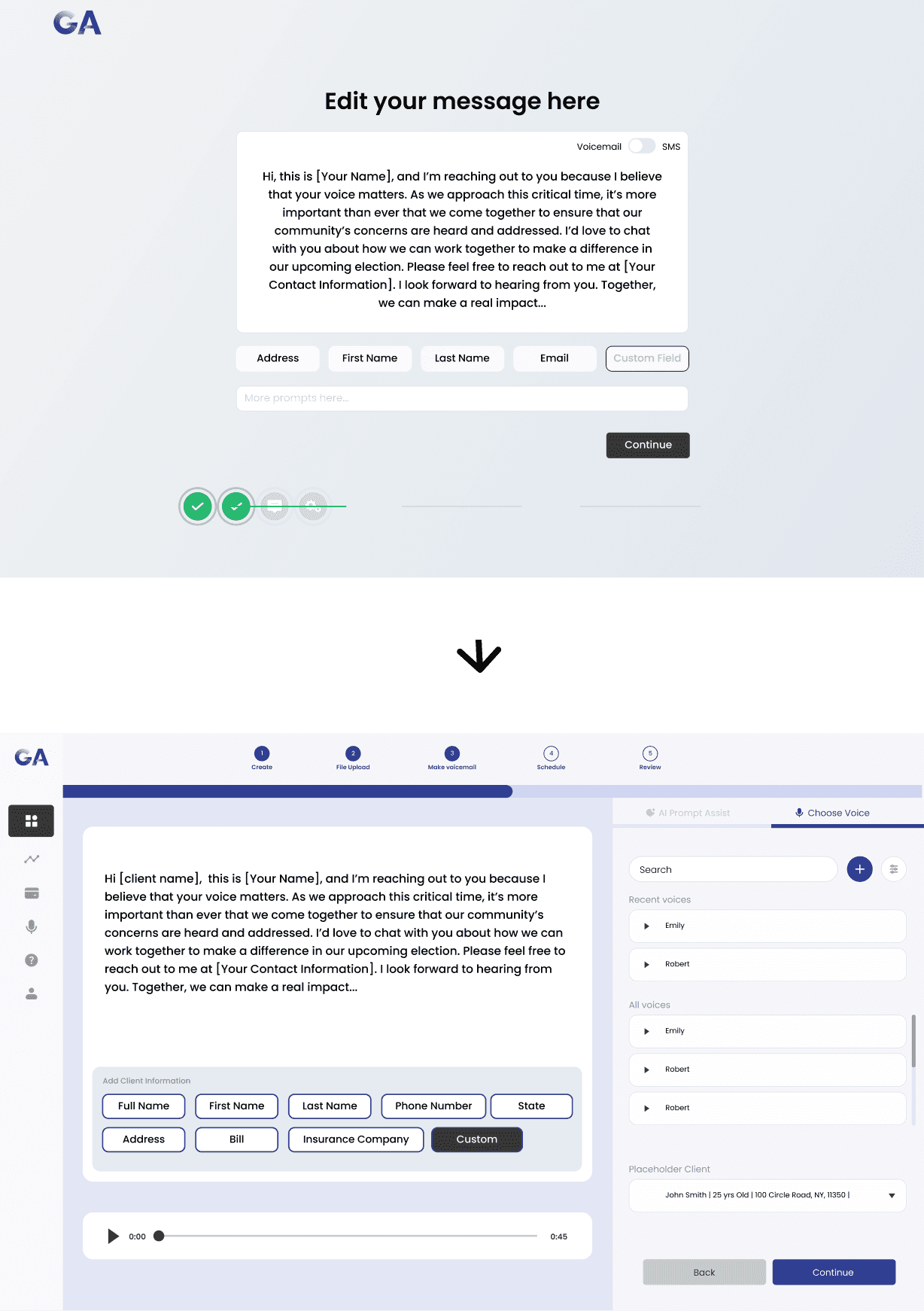
Create a Campaign: Making the Core Flow Intuitive
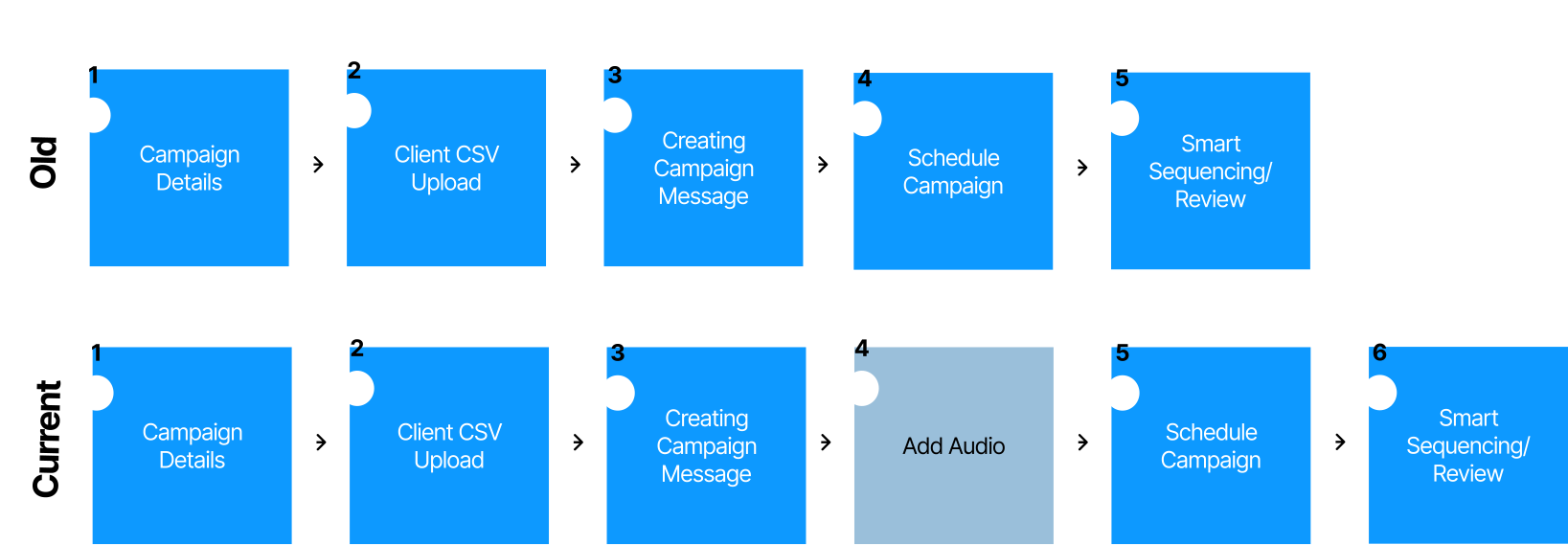
Re-structured the campaign flow
Organized campaign creation into clear, sequential steps that match user expectations and mental modelsImproved progress visibility
Introduced a more informative progress bar to communicate what’s completed, what’s next, and what’s requiredEmbedded voice control and playback
Added voice adjustment and playback directly into message creation so users could hear and refine their voicemail in context
Landing Page: Clarifying Value for First-Time Users
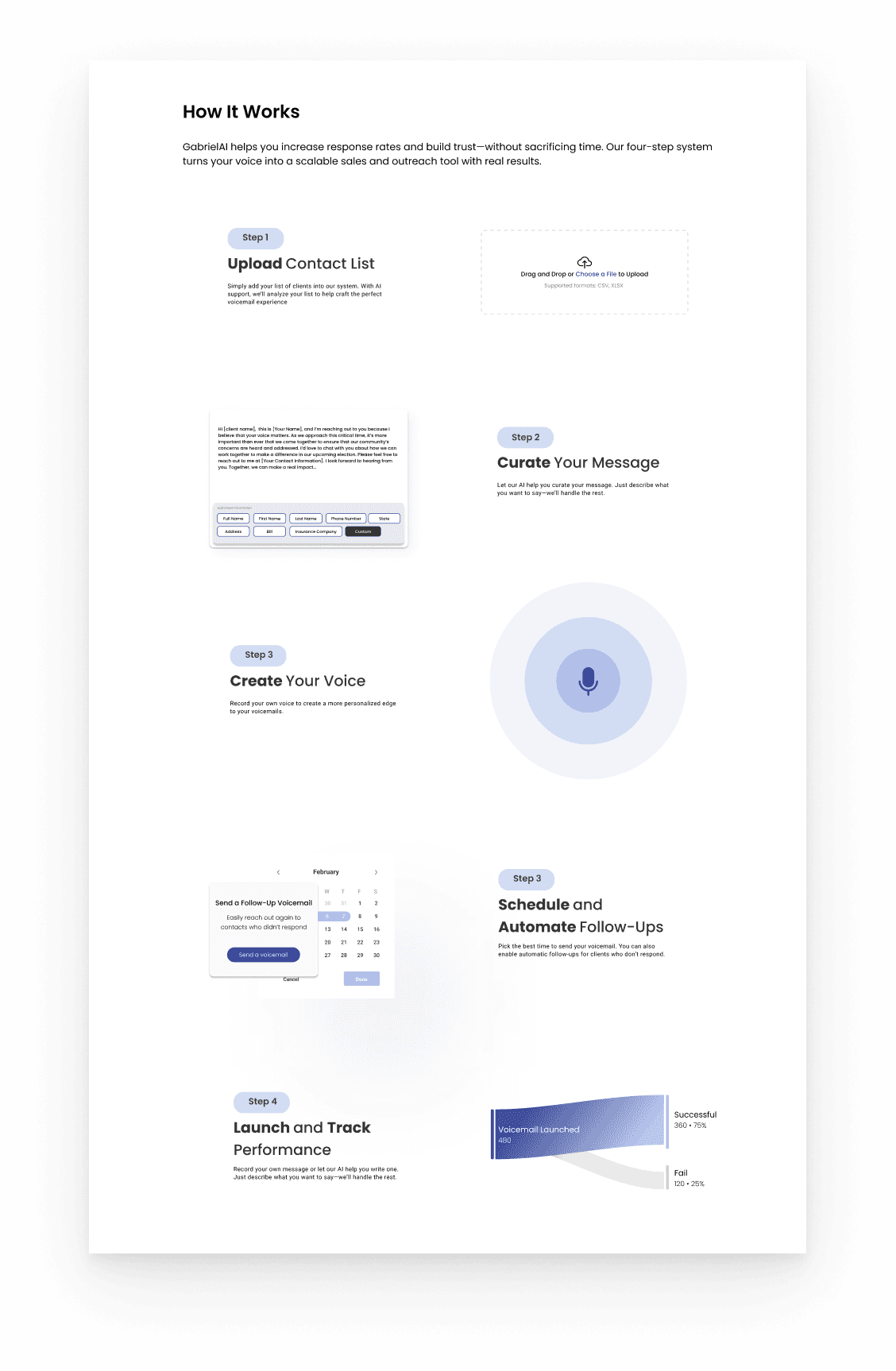
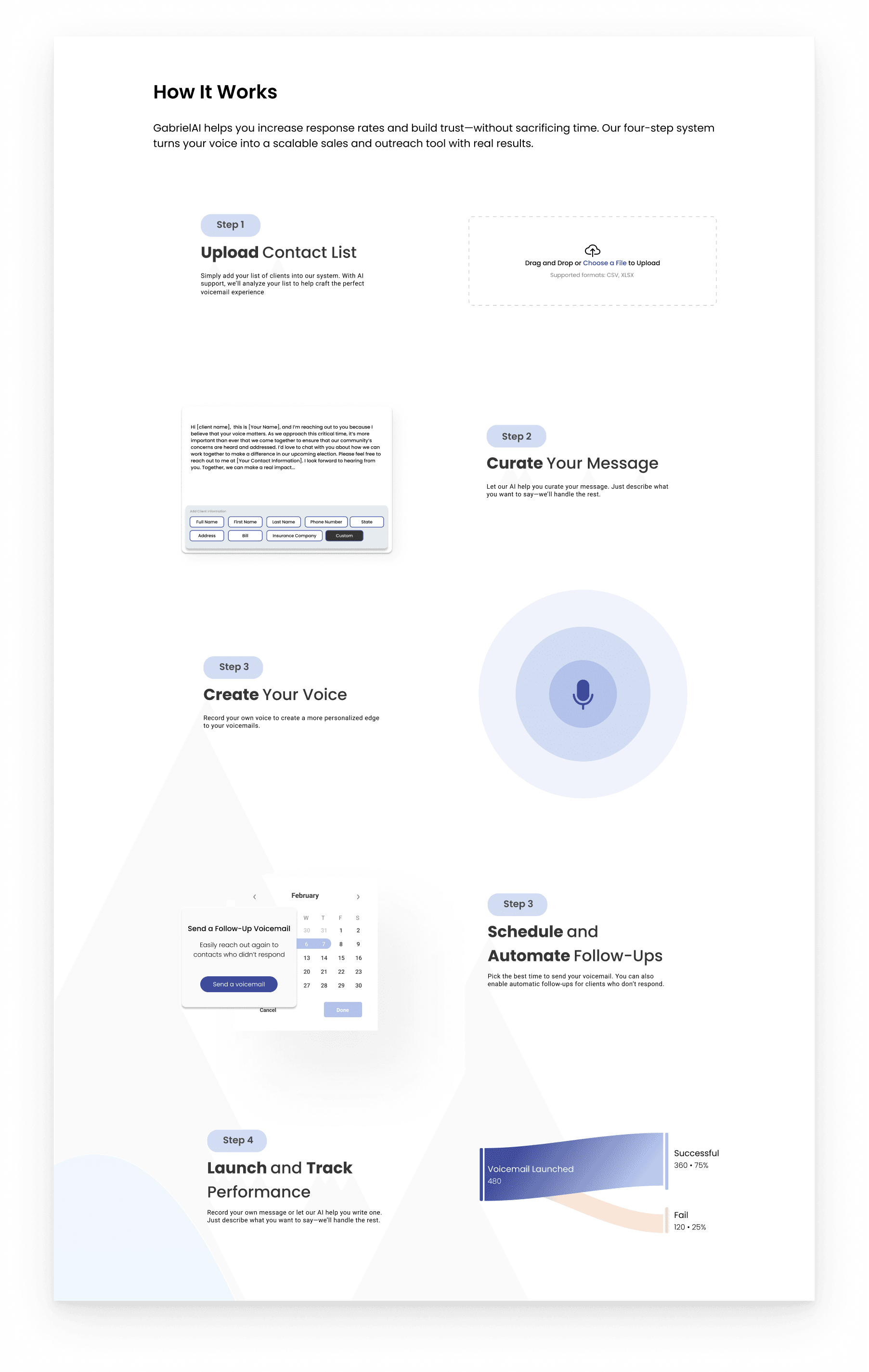
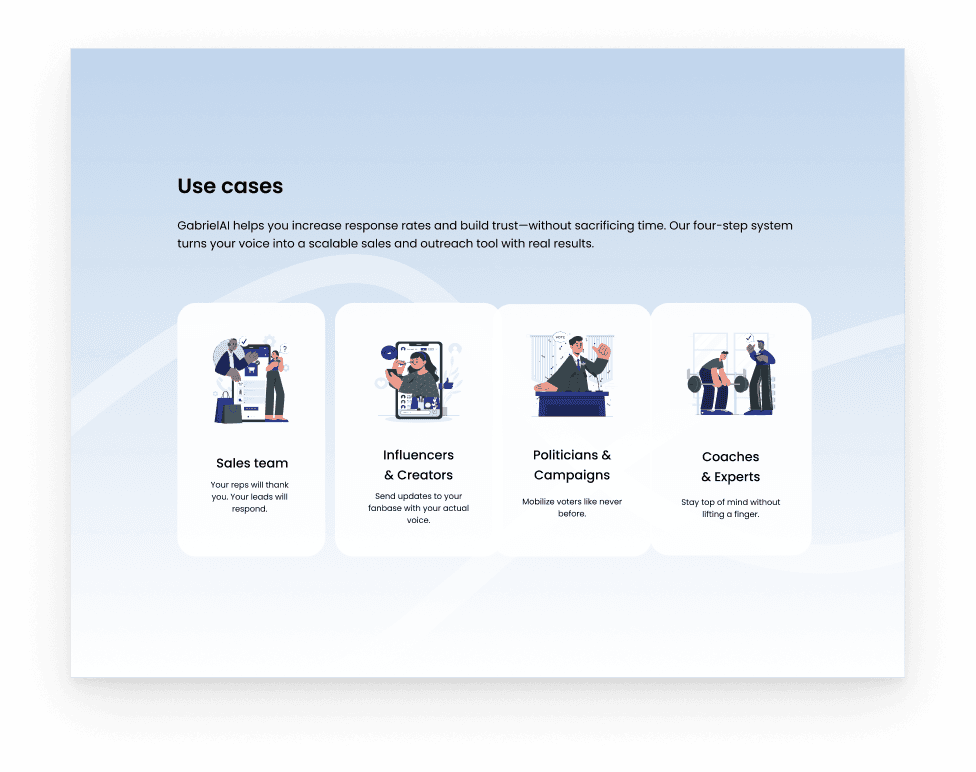
Added a “How It Works” section
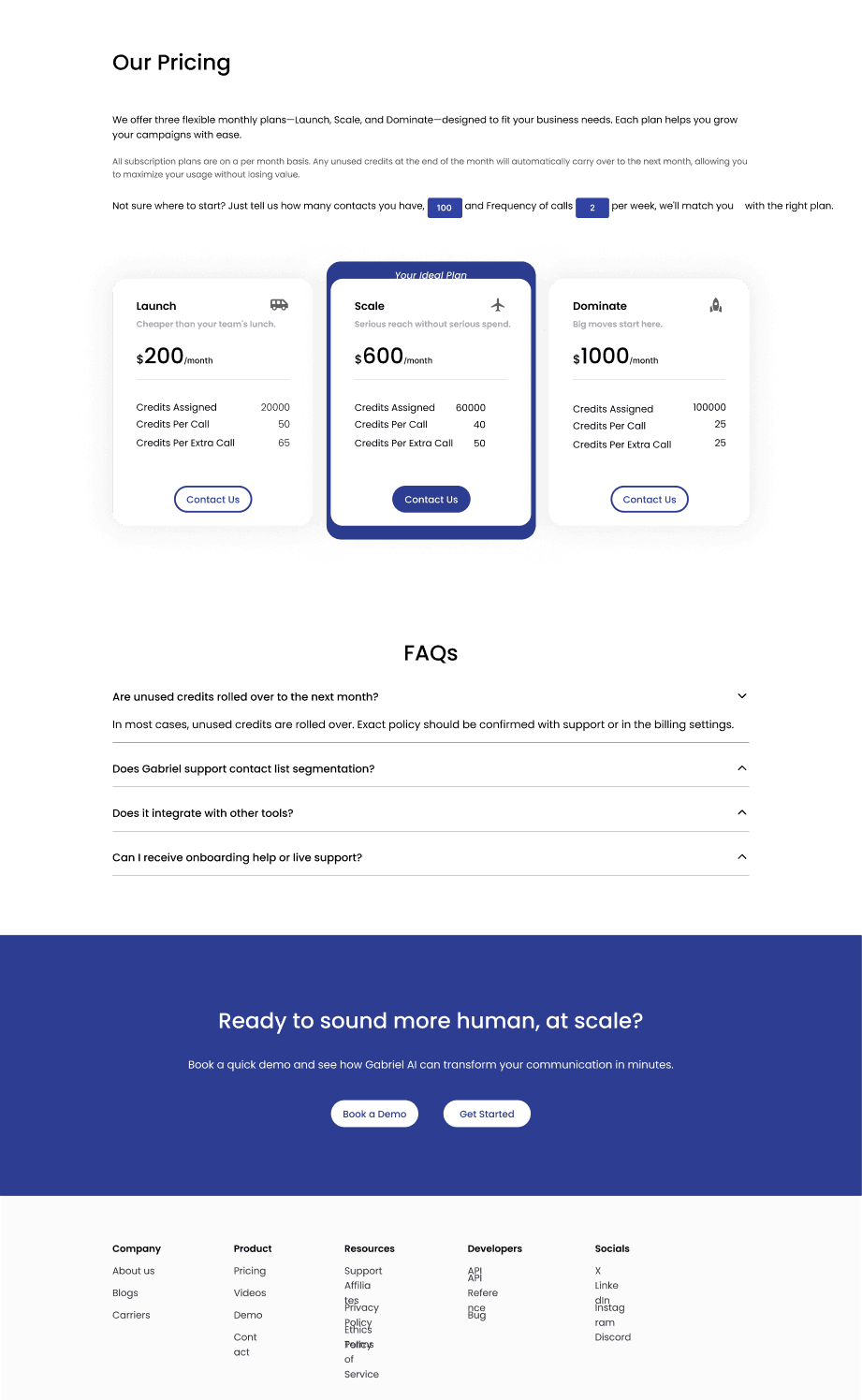
Introduced a step-by-step explanation of the product to immediately ground users in what Gabriel AI does and how it worksReorganized information architecture
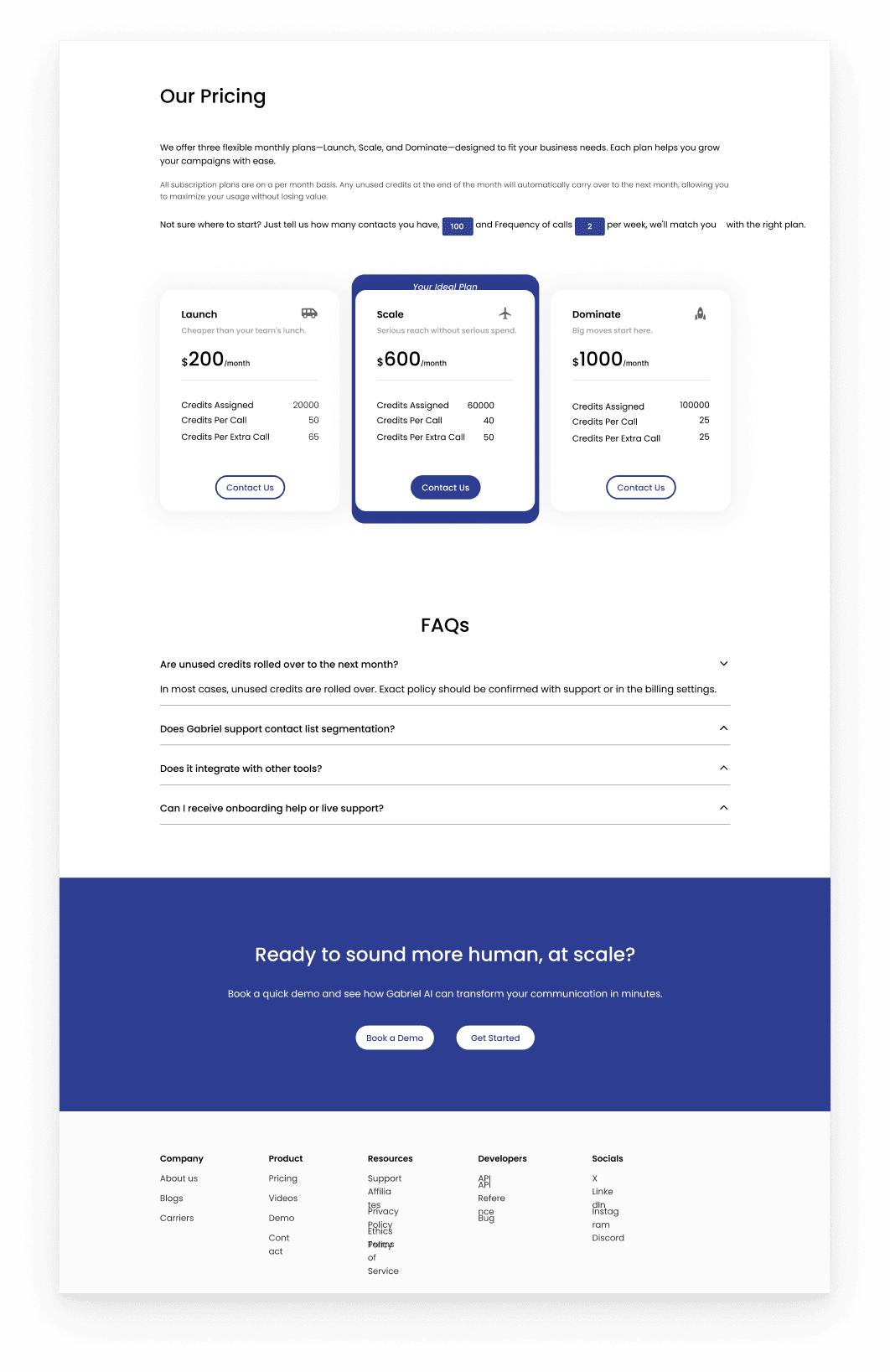
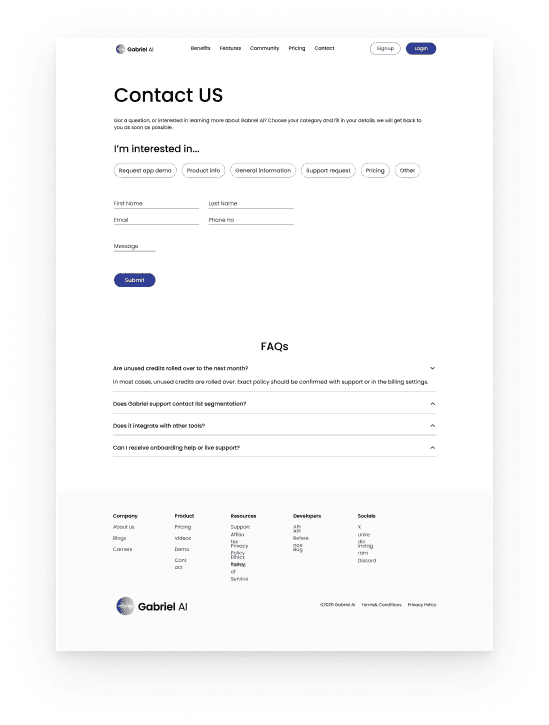
Restructured sections to follow industry-standard patterns, improving scannability and comprehensionRefined UX writing and tone
Updated language to feel more empathetic, professional, and trustworthy—especially important for AI-driven tools
Overall Frontend: Building Consistency and Trust
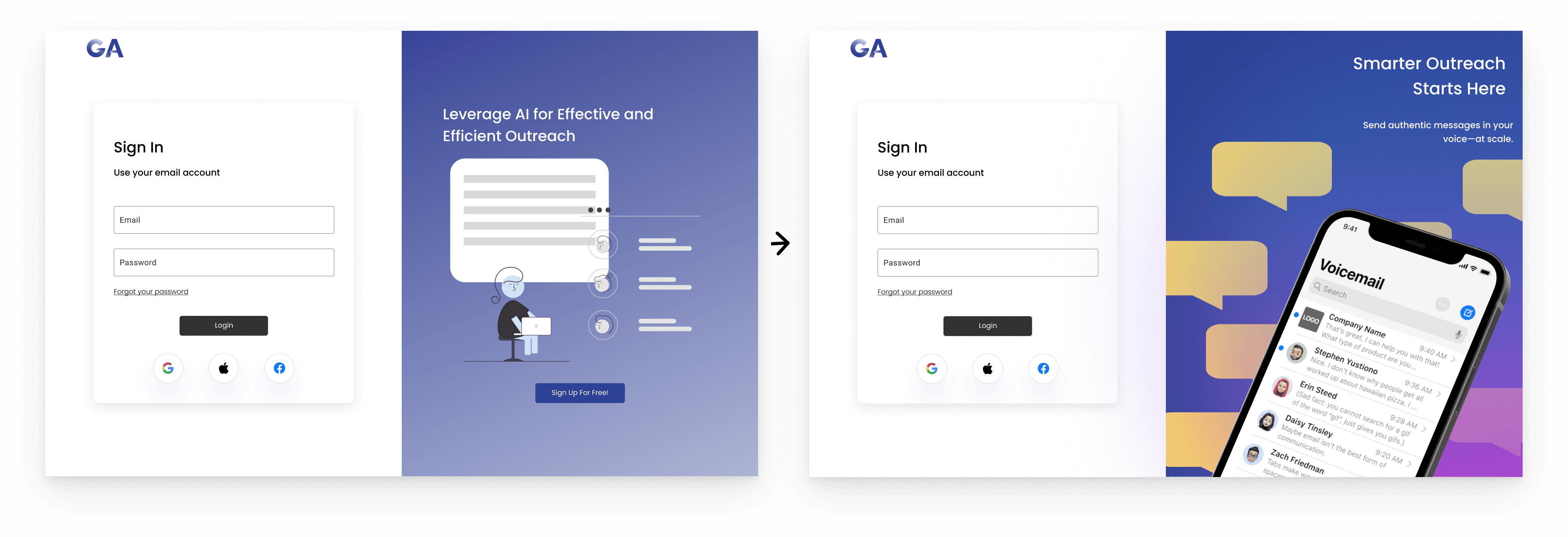
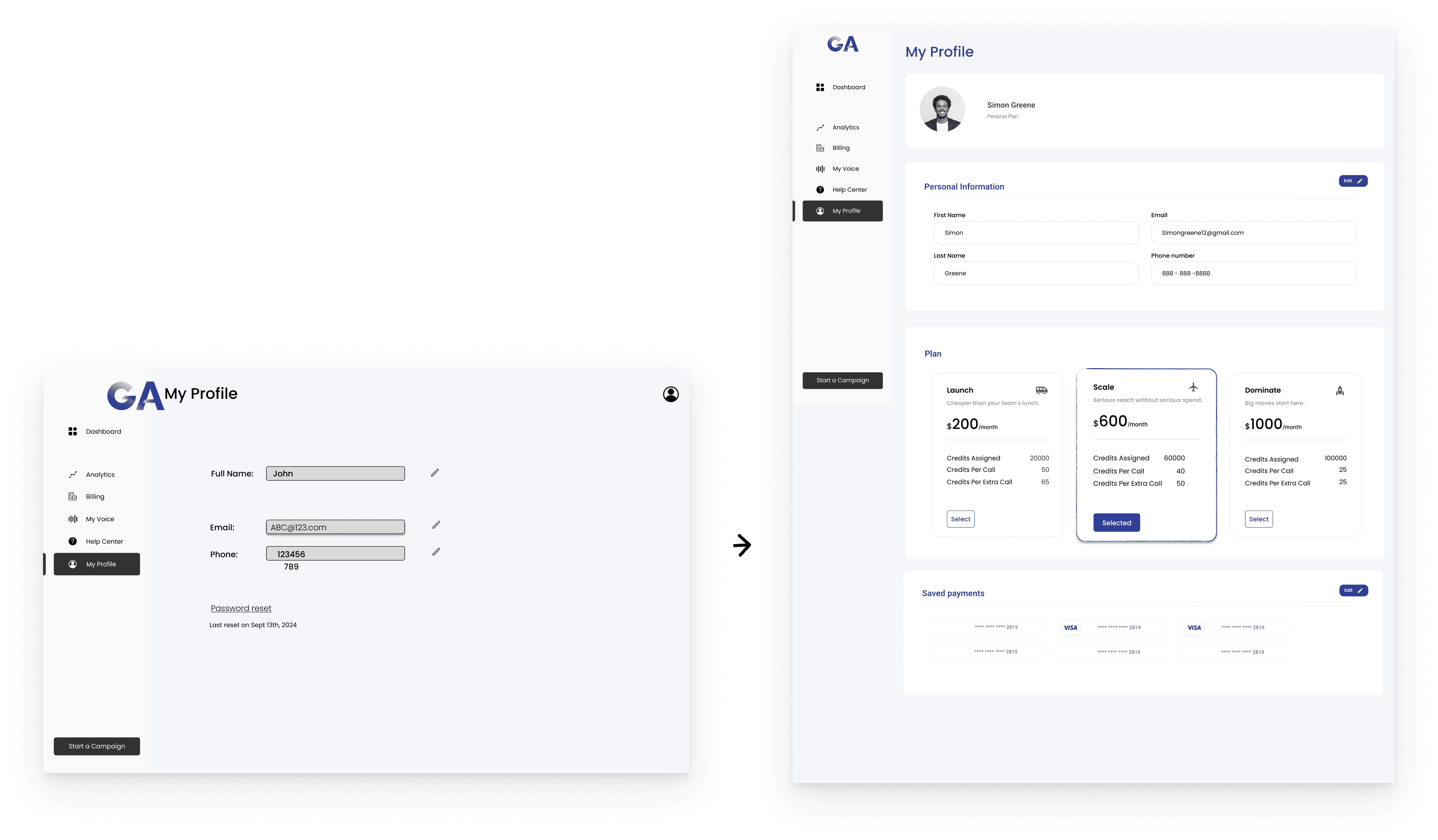
Unified visual system across screens
Standardized spacing, typography, colors, and components to create a cohesive, polished experienceSimplified dense information
Converted text-heavy sections into tables, visuals, and structured layouts for easier navigation and understandingImproved analytics clarity
Shifted analytics toward visual insights and added smart sequencing data to help users quickly assess campaign performance
IMPACT & REFLECTION
Design Philosophy
This project reinforced my belief that strong design lives at the intersection of empathy, clarity, and practicality. Especially when working with AI-powered products, design must do more than look polished, it must build trust, reduce uncertainty, and guide users through complex decisions with confidence.
NEXT UP